

Werbung
Bildschirmfotos

Übersicht
Über die Signia App
Die Signia App bietet Ihnen alles, was Sie brauchen, um Ihre Hörgeräte in vollen Zügen genießen zu können. Mit dieser innovativen App können Sie Ihre Hörerlebnisse individuell anpassen und das Maximum aus Ihren Hörgeräten herausholen. Ob unterwegs oder zu Hause, die Signia App ist Ihr zuverlässiger Begleiter für mehr Komfort und Kontrolle.
Hauptfunktionen der Signia App
Behalten Sie die Kontrolle
Mit der Signia App können Sie diskret und einfach Hörprogramme sowie Lautstärke und weitere Einstellungen steuern. Dank des Signia Assistant haben Sie die Möglichkeit, Ihre Hörgeräte individuell anzupassen, um den bestmöglichen Klang zu erleben. Die intuitive Bedienung macht es leicht, Ihre Hörgeräte an unterschiedliche Umgebungen anzupassen, sei es in ruhigen oder lauten Situationen.
Bleiben Sie selbstbewusst
Ein besonderes Highlight der Signia App ist die Verbindung via TeleCare. Damit können Sie sich direkt mit Ihrem/r HörakustikerIn vernetzen und in Kontakt bleiben. Diese Funktion ermöglicht es, Wartungs- oder Feinjustierungswünsche unkompliziert zu übermitteln, wodurch Sie stets optimal betreut werden. Die App trägt dazu bei, Ihre Hörgeräte stets auf dem neuesten Stand zu halten, ohne dass ein Besuch in der Hörakustik-Filiale notwendig ist.
Bleiben Sie gesund
Auch Ihre körperliche Fitness und Höraktivität werden mit der Funktion My WellBeing verfolgt. Diese innovative Funktion hilft Ihnen, Ihren Alltag bewusster zu gestalten, indem Sie Ihre Aktivitäten und Gesundheit im Blick behalten. Die Integration von Fitness-Tracking in die Signia App fördert ein ganzheitliches Wohlbefinden und unterstützt Sie dabei, aktiv und gesund zu bleiben.
Hinweis: Die Verfügbarkeit dieser Funktionen kann je nach Hörgerätemodell und TeleCare-Verfügbarkeit bei Ihrem/r HörakustikerIn variieren.
Benutzerhandbuch und Support
Sie können das Benutzerhandbuch für die App direkt im App-Einstellungsmenü aufrufen. Alternativ besteht die Möglichkeit, eine elektronische Version des Handbuchs unter www.wsaud.com herunterzuladen oder ein gedrucktes Exemplar zu bestellen. Dieses wird Ihnen innerhalb von 7 Werktagen kostenlos zugeschickt.
Wichtige Hinweise
Bitte lesen Sie die Bedienungsanleitung Ihrer Hörgeräte, bevor Sie die App verwenden, um eine sichere und optimale Nutzung zu gewährleisten.
Hersteller: WSAUD A/S
Adresse: Nymøllevej 6, 3540 Lynge, Denmark
UDI-DI: (01)05714880113167
Top empfohlene Alternative

Vorteile und Nachteile
Vorteile
- User-friendly interface for straightforward navigation.
- Extensive database of encounter reports.
- Encourages community engagement.
- Frequently updated with new features.
- Available in multiple languages.
Nachteile
- Limited offline capabilities.
- Requires in-app purchases for full functionality.
- Reports of occasional app crashes.
- Concerns regarding user data privacy.
- Consumes a lot of battery power.
Werbung
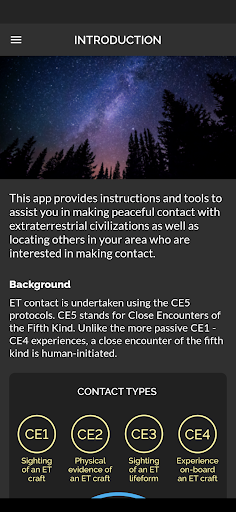
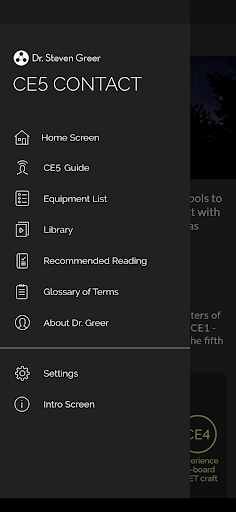
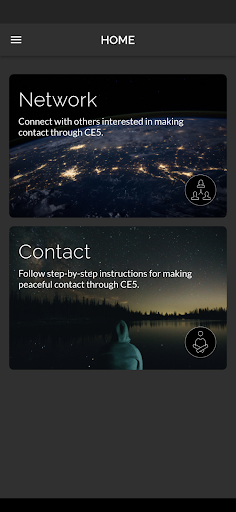
CE5 Contact herunterladen


FAQ
What is the main purpose of the CE5 Contact app?+
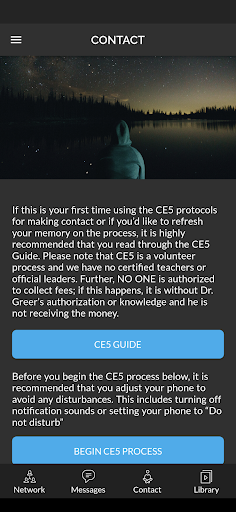
How does the CE5 Contact app help users initiate contact with extraterrestrial beings?+
Is the CE5 Contact app suitable for beginners?+
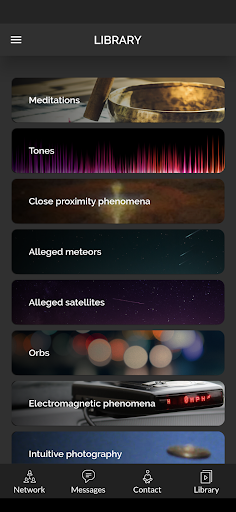
What kind of features does the CE5 Contact app offer for users?+
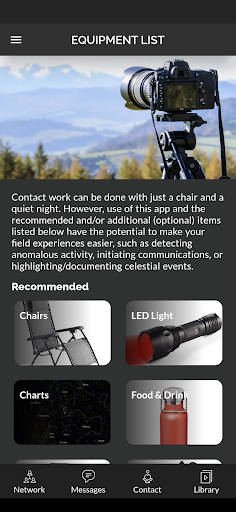
Are there any prerequisites or equipment needed to use the CE5 Contact app?+
Das könnte Ihnen auch gefallen
Weitere Apps, die Sie als Nächstes ausprobieren können.