Werbung
Bildschirmfotos

Übersicht
Google Play Store - Your Gateway to Android's Infinite App Universe
Discover the Google Play Store, the essential Android app marketplace that serves as the digital cornerstone for millions of users worldwide. More than just a store, it’s a bustling digital metropolis where endless discovery awaits. If you own an Android device, mastering the Google Play Store is your first step to unlocking your device’s full potential. Think of it as the world's most dynamic, 24/7 digital mall—where you can find everything from meditation apps that help you find your Zen, to blockbuster games, ebooks, and much more.
This official Android app store is pre-installed on virtually every device, making it effortlessly accessible. Whether you're a tech novice or a seasoned user, navigating this marketplace is smooth and intuitive, offering a seamless experience that puts a universe of apps and media at your fingertips.
A Masterclass in Curation and Discovery
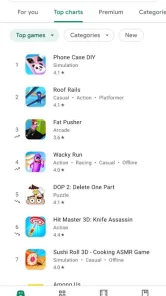
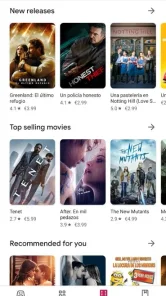
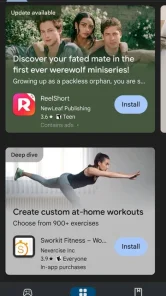
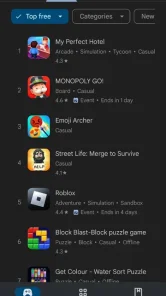
Upon launching the Google Play Store, you'll be greeted with a clean, visually engaging interface designed for effortless browsing. The home page showcases a curated mix of personalized app recommendations, trending top charts, and editorial lists like "Editors' Choice"—highlighting exceptional apps worth exploring. This thoughtful layout caters to both casual users and tech enthusiasts alike.
One of the most impressive aspects of the Play Store is its vast app variety. With millions of options spanning categories such as Productivity, Health & Fitness, Entertainment, Education, and more, finding the perfect app is both easy and enjoyable. The powerful search feature allows you to locate specific apps quickly, whether it’s a social media platform or a niche utility, ensuring you always find what you need.
Built on Trust and Safety
In the digital age, security is paramount, and the Google Play Store rises to meet this challenge. With its multi-layered protection framework, called Google Play Protect, all apps are automatically scanned for malicious behavior, providing a safer environment for downloads. While no system is entirely foolproof, this constant vigilance significantly reduces potential risks.
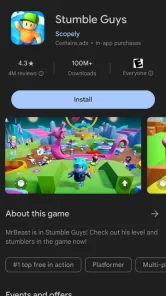
The store’s comprehensive review and rating system also promotes transparency. Users can read authentic feedback, view star ratings, and see developer responses—all critical tools for assessing an app’s quality and reliability before installation.
Seamless Management and Content Ecosystem
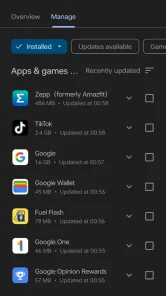
The Google Play Store isn’t just about acquiring apps; it also functions as a central hub for managing your digital content. It provides automatic notifications for updates, ensuring your apps stay current with the latest features and security patches. Your purchase history and library are organized for easy re-downloads on any device, and the wishlist feature helps you bookmark apps for future consideration.
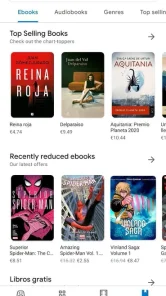
Beyond apps, the Play Store connects you to a full content ecosystem: Google Play Books for ebooks and audiobooks, Google Play Movies & TV for movies and series, and Google Play Games for tracking achievements and connecting with other gamers. This integration transforms your device into a comprehensive entertainment portal.
Conclusion
The Google Play Store stands as the indispensable engine of the Android universe—combining an extensive selection of apps, thoughtful curation, strong security measures, and a user-friendly interface. It turns your smartphone into a versatile tool for work, entertainment, and daily productivity. For any Android user, understanding and leveraging the power of the Play Store is essential to getting the most out of your device. Explore, discover, and enjoy the endless possibilities that await inside this dynamic digital mall.
Top empfohlene Alternative

Vorteile und Nachteile
Vorteile
- Wide variety of apps and games available
- User-friendly and straightforward interface
- Secure payment and checkout process
- Ability to share purchases via Family Library
- Automatic updates for apps
Nachteile
- Certain apps are region-restricted
- Many apps contain intrusive advertisements
- Free apps may include hidden charges
- Download failures can occur intermittently
- Requires a Google account to use
Werbung
Google Play Store herunterladen

FAQ
What is Google Play Store and how does it work?+
Is Google Play Store free to use?+
How can I ensure the apps I download from Google Play Store are safe?+
What should I do if I encounter issues with downloading or updating apps on Google Play Store?+
How can I manage app subscriptions on Google Play Store?+
Das könnte Ihnen auch gefallen
Weitere Apps, die Sie als Nächstes ausprobieren können.